 Neel Thakkar
In today’s fast-paced business environment, effective communication is no longer just a workplace convenience—it is a critical driver of organizational success. As companies scale, teams become more distributed, workflows grow more complex, and customer expectations continue to rise. To stay competitive, businesses need collaboration tools that enable instant communication, seamless information sharing, and faster decision-making without operational delays or friction.
However, many organizations still rely on disconnected tools like email, chat apps, spreadsheets, project management platforms, and CRM systems, causing constant context switching and reducing business productivity and creating communication silos. Slack Salesforce Integration solves this challenge by unifying communication, workflows, and Salesforce CRM data in a single workspace, enabling real-time collaboration and improving business productivity.
In this comprehensive guide, you'll learn:
- What Slack is and why businesses rely on it.
- How Slack Salesforce Integration improves business productivity through real-time collaboration and intelligent workflow automation.
- The benefits of integrating Slack with Salesforce.
- Key features that enhance team collaboration.
- Real-world business use cases across different industries.
- Best practices for implementing Slack in your organization.
- How AI is shaping the future of Slack and Salesforce collaboration.
By the end of this article, you'll understand why organizations use Slack and Salesforce to build a more productive, collaborative, customer-focused workplace.
What Is Slack?
- Slack is a cloud-based communication and collaboration platform designed to improve how teams work together. It replaces scattered communication methods with a single, organized digital workspace for better efficiency and productivity.
- It helps teams communicate, collaborate, and complete tasks faster by bringing messages, files, tools, and workflows into one centralized platform. This reduces dependency on traditional email-based communication.
- Slack organizes all communication into channels, which are dedicated spaces for teams, projects, customers, or departments. This structure keeps conversations focused, searchable, and easy to manage.
- Instead of searching through long email threads, employees can quickly find conversations, shared files, meeting notes, and project updates in one place. This improves information accessibility and saves time.
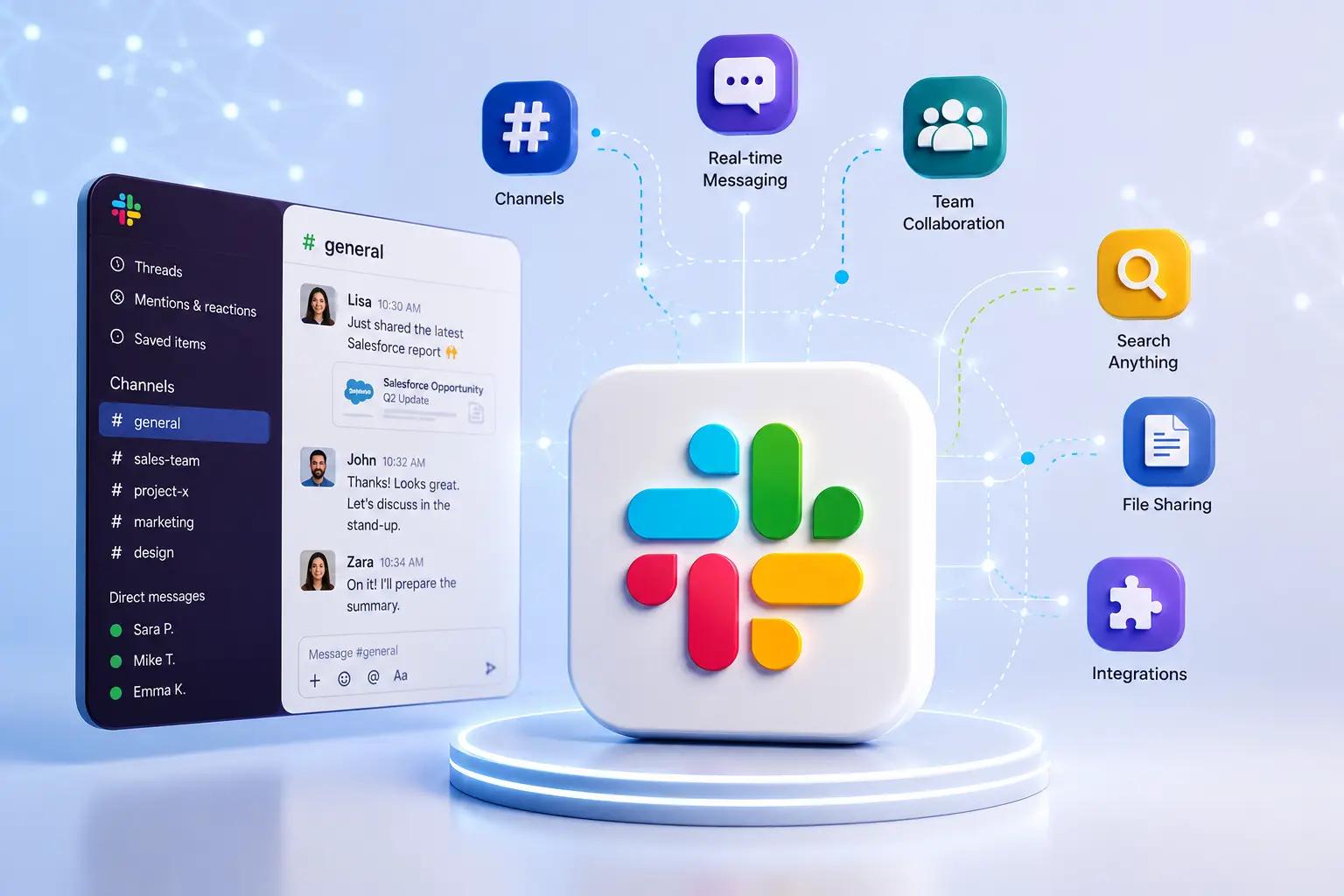
- Slack integrates with thousands of business applications like Salesforce, Google Workspace, Microsoft 365, Jira, Zoom, and Asana. These integrations allow users to access and manage work without switching platforms.
- It is widely used by organizations of all sizes—from startups to global enterprises—to improve cross-department communication and collaboration. This includes teams in sales, marketing, IT, HR, finance, and operations.
- By unifying communication and business tools, Slack helps organizations reduce complexity, improve transparency, and enhance overall workplace productivity.
Key Features of Slack
Slack offers a wide range of features that support modern workplace collaboration.
1. Channels for Organized Communication
- Channels in Slack organize discussions around specific topics, projects, customers, or teams, making communication more structured and efficient.
- Public channels promote transparency by allowing all relevant team members to view and participate in conversations.
- Private channels enable confidential discussions among selected members, ensuring sensitive information stays secure.
- For example, sales teams can create separate channels for enterprise deals, onboarding, product launches, or regional teams to keep conversations organized and easy to access.
2. Direct Messaging
- Enables quick one-on-one conversations for fast decision-making without creating a channel
- Supports small group chats for focused discussions among key stakeholders
- Ideal for urgent queries that require immediate responses and minimal context switching
- Keeps sensitive or informal conversations private and separate from public channels
3. File Sharing and Collaboration
- Users can upload and share documents, presentations, spreadsheets, images, PDFs, and videos directly within Slack conversations.
- Team members can instantly review shared files and provide real-time feedback without switching tools.
- All file versions and updates are automatically tracked, ensuring easy access to the latest information.
- Collaboration happens in one place, eliminating the need for long email threads and attachment-based communication.
4. Searchable Knowledge Base
- Slack allows users to quickly search past conversations, messages, and shared files across channels.
- Employees can instantly retrieve important decisions, links, and documents without manual tracking.
- Advanced filters help narrow down results by person, channel, or date for faster access.
- This reduces time spent searching for information and improves overall productivity.
5. Workflow Automation
- Slack enables automation of repetitive tasks such as approvals, reminders, and notifications.
- Teams can create custom workflows to streamline onboarding, requests, and reporting processes.
- Automated alerts ensure important updates are never missed by relevant stakeholders.
- Reduces manual effort and improves operational efficiency across departments.
Why Businesses Choose Slack
- Slack helps organizations simplify communication by bringing all team discussions into one unified workspace, reducing confusion, and improving coordination across departments.
- This ensures that employees no longer rely on scattered emails or disconnected tools, leading to smoother collaboration and faster execution of tasks.
- It enables real-time messaging that allows employees to share updates, ask questions, and make decisions instantly without waiting for email responses. This immediacy helps teams resolve issues quickly and maintain momentum in fast-moving projects.
- By centralizing communication, Slack reduces the need to switch between multiple tools, helping employees stay focused and work more efficiently. This minimizes context switching, which is one of the major causes of productivity loss in modern workplaces.
- Shared channels improve transparency by allowing teams to access the same information, stay aligned on goals, and avoid miscommunication.
- Everyone involved in a project can see updates in real time, ensuring better coordination and accountability.
- All conversations, files, and decisions are stored in a searchable format, making it easy to retrieve important information whenever needed.
- This creates a living knowledge base that helps teams avoid repeating discussions and speeds up decision-making.
- Slack supports remote and hybrid work by enabling seamless collaboration regardless of location, ensuring teams remain connected and productive.
- Employees can participate in discussions, share updates, and collaborate effectively from anywhere in the world.
- Built-in security and compliance features help protect sensitive business data while meeting enterprise-level regulatory requirements. This makes Slack suitable for organizations in highly regulated industries such as finance, healthcare, and technology.
- Overall, Slack enhances productivity by streamlining workflows, improving visibility, and enabling faster decision-making across the organization. It acts as a central hub that connects people, processes, and information in one unified system.
- When combined with Salesforce CRM, Slack Salesforce Integration creates a connected workplace that enables employees to collaborate around customer data, automate workflows, and improve operational efficiency.
What Is Slack Salesforce Integration?
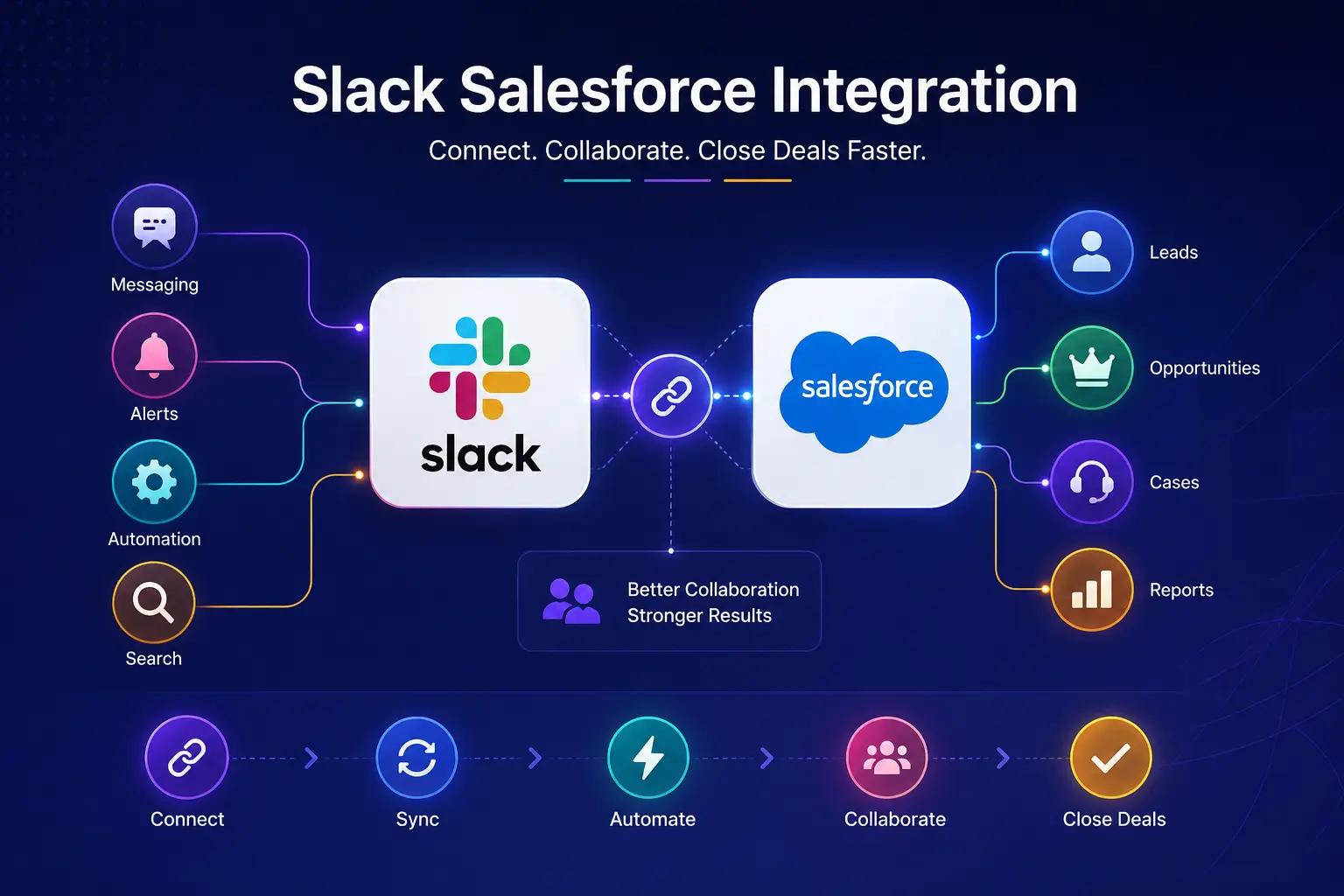
- Salesforce Slack Integration is the native connection between Salesforce CRM and Slack that brings customer data and team communication into a single workspace.
- It enables employees to collaborate around real-time Salesforce information without constantly switching between multiple applications.
- Instead of moving back and forth between Salesforce and communication tools, users can access customer records, opportunity details, lead information, and case updates directly within Slack. This improves productivity and keeps teams focused on their work.
- The integration transforms Slack from a messaging platform into an intelligent collaboration hub powered by Salesforce data.
- Teams can discuss customer information, share records, and make faster decisions while staying within the same conversation.
- Real-time Salesforce notifications keep everyone informed about important business activities, such as new leads, opportunity stage changes, approval requests, and high-priority support cases.
- This helps teams respond quickly without manually monitoring Salesforce dashboards.
- Sales, service, marketing, and operations teams can collaborate on customer accounts through dedicated Slack channels.
- Everyone has instant access to the latest CRM updates, improving visibility, and reducing communication gaps across departments.
- Salesforce records can be securely shared within Slack conversations, allowing employees to review account details, discuss opportunities, resolve customer issues, and coordinate next steps without leaving the platform.
- This enables faster collaboration, improves workflow efficiency, and supports more informed decision-making.
- Workflow automation further enhances efficiency by sending automated alerts, routing approval requests, assigning tasks, and triggering business processes based on Salesforce events. This reduces manual work and accelerates day-to-day operations.
- By combining Salesforce CRM with Slack, organizations create a connected digital workplace where communication happens in the context of customer data.
- The result is improved business productivity, improved Salesforce collaboration across departments, faster decision-making, and a more personalized customer experience.
How Slack Improves Business Productivity
- Businesses today rely on fast communication and seamless collaboration to stay competitive. However, switching between multiple applications, managing lengthy email threads, and waiting for approvals can slow down operations and reduce employee efficiency.
- Slack addresses these challenges by creating a centralized workspace where teams can communicate, collaborate, and automate work in real time.
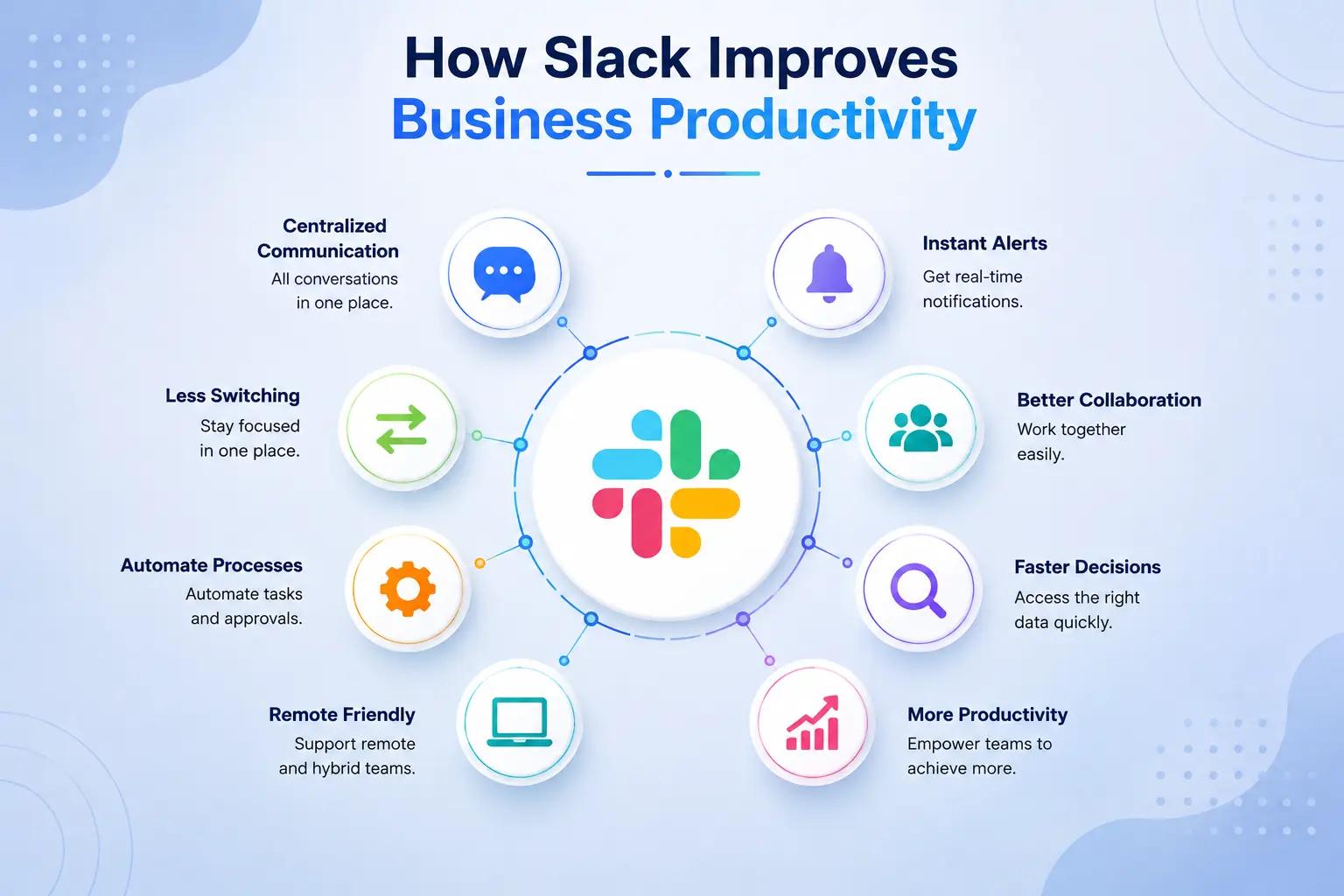
Here are the keyways Slack improves business productivity:
1. Centralizes Team Communication
- Slack brings conversations, files, applications, and workflows into a single digital workspace, eliminating the need to switch between multiple communication platforms.
- This centralized approach helps employees access everything they need from one location.
- Dedicated Slack channels organize conversations by project, customer, department, or business function, making communication more structured and accessible.
- This enables employees to quickly locate relevant discussions, collaborate more efficiently, and stay aligned on ongoing work.
2. Reduces Context Switching
- Employees often lose valuable time moving between CRM systems, email, spreadsheets, project management tools, and messaging applications.
- Constant context switching interrupts focus and decreases overall productivity.
- Slack integrates with Salesforce and thousands of other business applications, allowing users to access notifications, customer records, documents, and tasks without leaving the platform.
- This enables employees to stay focused and complete work more efficiently.
3. Accelerates Decision-Making
- Business decisions often require input from multiple stakeholders, which can be delayed by lengthy email conversations or scheduled meetings.
- Slack enables real-time discussions that help teams resolve questions and make decisions much faster.
- Managers can review customer opportunities, approve requests, provide feedback, and coordinate next steps directly within Slack.
- Faster collaboration reduces bottlenecks and helps organizations respond quickly to changing business priorities.
4. Automates Repetitive Business Processes
- Slack Workflow Builder and integrations with Salesforce allow organizations to automate repetitive tasks such as approval requests, reminders, notifications, onboarding activities, and task assignments. Automation reduces manual effort and improves operational efficiency.
- Instead of manually following up on routine activities, employees receive automated alerts and workflows that ensure important business processes continue without unnecessary delays or human intervention.
5. Improves Cross-Functional Collaboration
- Successful projects often require collaboration between sales, marketing, customer service, finance, IT, and operations teams.
- Slack provides shared channels where departments can work together using real-time conversations and shared business information.
- This transparency reduces communication gaps, minimizes duplicated work, and ensures every stakeholder has access to the latest updates.
- As a result, teams collaborate more effectively and deliver better business outcomes.
6. Enhances Remote and Hybrid Work
- As remote and hybrid work environments continue to grow, businesses need collaboration tools that keep employees connected regardless of location.
- Slack enables seamless communication through messaging, huddles, file sharing, and integrated video collaboration.
- Employees can participate in discussions, review documents, and stay connected with colleagues from anywhere, ensuring consistent productivity across distributed teams.
7. Creates a Searchable Knowledge Repository
- Slack automatically stores conversations, files, meeting notes, and shared resources, making valuable business knowledge easily searchable.
- Employees no longer waste time looking for important information across multiple email threads or document folders.
- New team members can quickly review historical discussions, understand previous decisions, and become productive faster, while experienced employees can easily retrieve information whenever needed.
8. Increases Employee Productivity and Engagement
- Dedicated Slack channels organize conversations by project, customer, department, or business function, creating a centralized workspace for communication.
- This helps employees quickly access relevant information, improve collaboration, and keep business activities well organized.
- Features such as reactions, huddles, AI-powered summaries, reminders, and personalized notifications create a more engaging work environment while helping employees manage their daily responsibilities more effectively.
How Slack Enhances Salesforce Collaboration
- Slack Salesforce Integration connects communication directly with Salesforce CRM data, enabling employees to collaborate around customer information in real time.
- It allows Salesforce records like leads, accounts, and opportunities to be shared directly in Slack channels. Teams can discuss updates and take actions without switching between multiple tools.
- Slack provides instant notifications for Salesforce events such as new leads, deal updates, approvals, and escalations. This ensures teams respond quickly to important business activities.

- Sales teams collaborate more effectively by discussing deals, pricing, and customer needs in dedicated Slack channels. This improves deal speed and increases the chances of closing opportunities.
- Customer service teams get real-time alerts for high-priority cases from Salesforce Service Cloud. This helps them resolve issues faster and improve overall customer satisfaction.
- Sales, marketing, and service teams stay aligned through shared Slack channels with full visibility into customer interactions. This reduces silos and improves coordination across departments.
- Approval workflows like discounts, contracts, and pricing requests are managed directly in Slack using Salesforce automation. This reduces delays and speeds up business operations.
- Executives receive real-time Salesforce insights in Slack, including pipeline updates and revenue forecasts. This helps leadership make faster, data-driven decisions without manual reports.
Advanced Slack Features That Enhance Business Collaboration
- Beyond messaging and CRM integration, Slack provides several advanced capabilities that help organizations improve communication, streamline teamwork, and build a more connected digital workplace.
- These features enable businesses to collaborate more efficiently while supporting long-term productivity and innovation.
- These advanced capabilities become even more valuable when combined with Slack Salesforce Integration, allowing businesses to connect communication with CRM data and intelligent automation.
1. AI-Powered Search and Knowledge Discovery
- Slack AI helps employees quickly find important conversations, documents, customer updates, and shared resources using natural language search. Instead of manually browsing multiple channels, users can retrieve relevant information within seconds.
- This intelligent search capability reduces time spent looking for information and ensures employees always have access to the knowledge they need to make informed decisions.
2. Slack Lists for Task and Project Management
- Slack Lists enable teams to create, assign, prioritize, and track tasks directly within their workspace.
- Team members can monitor project progress, update task status, and collaborate without relying on separate project management software.
- Keeping tasks and conversations together improves accountability, increases visibility, and helps teams deliver projects more efficiently.
3. Enterprise Search Across Connected Applications
- Slack connects with business applications like Salesforce, Google Drive, Microsoft 365, Jira, and Confluence, allowing employees to search across multiple systems from one place.
- This eliminates the need to open different applications to locate information.
- Unified enterprise search improves productivity by providing faster access to customer records, documents, support tickets, and project files.
4. Workflow Automation with No-Code Builder
- Slack's no-code Workflow Builder enables business users to automate repetitive processes without requiring technical expertise.
- Teams can create automated approval requests, employee onboarding workflows, feedback forms, reminders, and recurring notifications.
- These automations reduce manual work, improve consistency, and free employees to focus on more strategic business activities.
5. Secure External Collaboration with Slack Connect
- Slack Connect allows organizations to collaborate securely with customers, partners, suppliers, and vendors using shared channels instead of lengthy email conversations. Everyone stays connected within a single workspace while maintaining enterprise-grade security.
- This improves communication speed, strengthens business relationships, and accelerates decision-making across organizational boundaries.
6. AI Conversation Summaries and Action Items
- Slack AI automatically summarizes lengthy conversations, highlights important decisions, and identifies pending action items. Employees can quickly catch up on discussions without reading hundreds of individual messages.
- AI-generated summaries save valuable time, improve meeting follow-ups, and ensure critical information isn't overlooked, especially for distributed and global teams.
Real Business Use Cases of Slack and Salesforce
Organizations across industries use Slack and Salesforce together to improve communication, streamline operations, and enhance customer experiences. By combining CRM data with real-time collaboration, businesses can eliminate communication gaps and enable teams to work more efficiently.
Here are some common business use cases:
Sales Teams
- Sales representatives collaborate on leads, opportunities, pricing discussions, contract approvals, and customer meetings directly within Slack. Real-time Salesforce updates ensure everyone works with the latest customer information, reducing delays in the sales cycle.
- Managers receive instant notifications when high-value opportunities change stages, allowing them to provide guidance, approve discounts, and support sales teams before deals are lost.
Customer Service Teams
- Support agents receive automatic Slack notifications whenever high-priority cases or escalations are created in Salesforce Service Cloud. They can quickly collaborate with technical experts and managers to resolve issues without switching platforms.
- Faster communication improves first-response times, reduces case resolution time, and enhances overall customer satisfaction.
Marketing Teams
- Marketing teams collaborate with sales by sharing campaign updates, qualified leads, event information, and customer engagement insights directly within Slack. Salesforce data helps both teams align on lead quality and campaign performance.
- This improved coordination increases lead conversion rates and ensures marketing efforts support sales objectives effectively.
Project Management Teams
- Project managers create dedicated Slack channels for implementation projects, customer onboarding, and cross-functional initiatives. Salesforce updates, project files, milestones, and discussions remain centralized, improving visibility across the entire project lifecycle.
- Teams can monitor progress, assign responsibilities, and resolve blockers faster through real-time collaboration.
Manufacturing Companies
- Manufacturing organizations use Slack and Salesforce to coordinate communication between sales, production, procurement, logistics, and customer service teams. Everyone receives real-time updates on customer orders, inventory availability, production schedules, and delivery timelines.
- Improved visibility reduces operational delays, enhances order management, and strengthens collaboration across departments.
Financial Services
- Financial advisors, relationship managers, and operations teams collaborate securely on customer accounts, loan approvals, investment opportunities, and compliance-related activities. Salesforce notifications keep stakeholders informed while Slack enables quick discussions around customer needs.
- This improves response times, strengthens compliance processes, and enhances the overall client experience.
Healthcare Organizations
- Healthcare providers use Slack and Salesforce to improve coordination between administrative teams, patient support staff, and service departments. Secure communication helps manage appointments, patient requests, and service workflows more efficiently.
- Faster collaboration supports better operational efficiency while improving the patient experience.
Executive Leadership
- Executives receive personalized Slack notifications for important Salesforce dashboards, revenue forecasts, pipeline updates, customer escalations, and business KPIs. Instead of waiting for periodic reports, leadership teams gain real-time visibility into business performance.
- Immediate access to business insights enables faster strategic decisions and improves organizational responsiveness.
Best Practices for Implementing Slack with Salesforce
- Successfully integrating Slack with Salesforce requires more than simply connecting the two platforms. Organizations should establish clear collaboration guidelines, optimize workflows, and encourage user adoption to maximize productivity and long-term business value.
- To maximize the value of Slack Salesforce Integration, organizations should establish clear collaboration processes, optimize workflows, and encourage user adoption.
- Create Purpose-Driven Slack Channels by organizing conversations around departments, projects, customers, or business functions. Well-structured channels reduce clutter, improve collaboration, and make information easier to locate.
- Integrate Only High-Value Salesforce Notifications to avoid overwhelming employees with unnecessary alerts. Configure notifications for important events such as opportunity updates, lead assignments, approvals, and critical support cases.
- Automate Repetitive Business Processes using Slack Workflow Builder and Salesforce automation. Approval requests, reminders, onboarding tasks, and recurring notifications can all be streamlined to reduce manual effort and improve efficiency.
- Establish Communication Guidelines that define channel naming conventions, notification preferences, response expectations, and file-sharing practices. Clear standards help maintain an organized and productive collaboration environment.
- Leverage Slack AI Features to summarize lengthy conversations, identify important action items, and help employees quickly catch up on discussions. AI-powered productivity tools save time and improve workplace efficiency.
- Train Employees on Salesforce and Slack Collaboration so they understand how to share CRM records, manage workflows, collaborate in channels, and use integrations effectively. Proper training improves user adoption and maximizes return on investment.
- Monitor Collaboration Metrics and User Adoption by tracking engagement, workflow efficiency, response times, and automation usage. Regular analysis helps identify opportunities for continuous improvement.
- Review and Optimize Workflows Regularly as business requirements evolve. Updating Slack channels, Salesforce automations, and collaboration processes ensures the platform continues delivering maximum value while supporting organizational growth.
Why Slack Salesforce Integration Is Essential for Modern Businesses
- Modern businesses need more than standalone communication tools—they need connected platforms that bring employees, customer data, and business processes together in one place.
- Slack Salesforce Integration addresses this need by combining real-time communication with Salesforce CRM, enabling organizations to improve business productivity, streamline workflow automation, and strengthen business collaboration across departments.
- By integrating Slack with Salesforce, employees can access CRM records, receive instant notifications, collaborate on customer accounts, and automate routine tasks without switching between multiple applications.
- This connected workflow reduces communication gaps, accelerates decision-making, and enables sales, marketing, customer service, and operations teams to work more efficiently. As a result, organizations experience stronger Salesforce collaboration, improved operational visibility, and a more connected digital workplace.
- The integration also plays an important role in supporting digital transformation initiatives. AI-powered capabilities such as Slack AI and Salesforce Agentforce help organizations automate repetitive processes, generate intelligent insights, and improve customer interactions.
- Instead of spending valuable time on manual updates and administrative work, employees can focus on strategic initiatives that drive innovation and business growth.
- Whether an organization is looking to improve internal communication, automate business processes, or enhance customer engagement, Slack Salesforce Integration provides a scalable solution that supports long-term success.
- By combining Salesforce CRM, intelligent workflow automation, and AI-powered business collaboration, organizations can build a more agile, productive, and customer-centric workplace while staying competitive in today's rapidly evolving business environment.
Conclusion
Slack has become much more than a communication platform—it is now a comprehensive collaboration solution that connects employees, business processes, and Salesforce CRM within a unified digital workspace. Through Slack Salesforce Integration, organizations can streamline communication, automate workflows, improve Salesforce collaboration across departments, and access real-time customer information, enabling faster decisions and more efficient business operations.
As organizations continue adopting Artificial Intelligence, automation, and intelligent CRM technologies, Slack and Salesforce will play an increasingly important role in driving digital transformation. Businesses that invest in Slack Salesforce Integration today can build a more connected, agile, and productive workplace while delivering exceptional customer experiences and supporting sustainable long-term growth.